
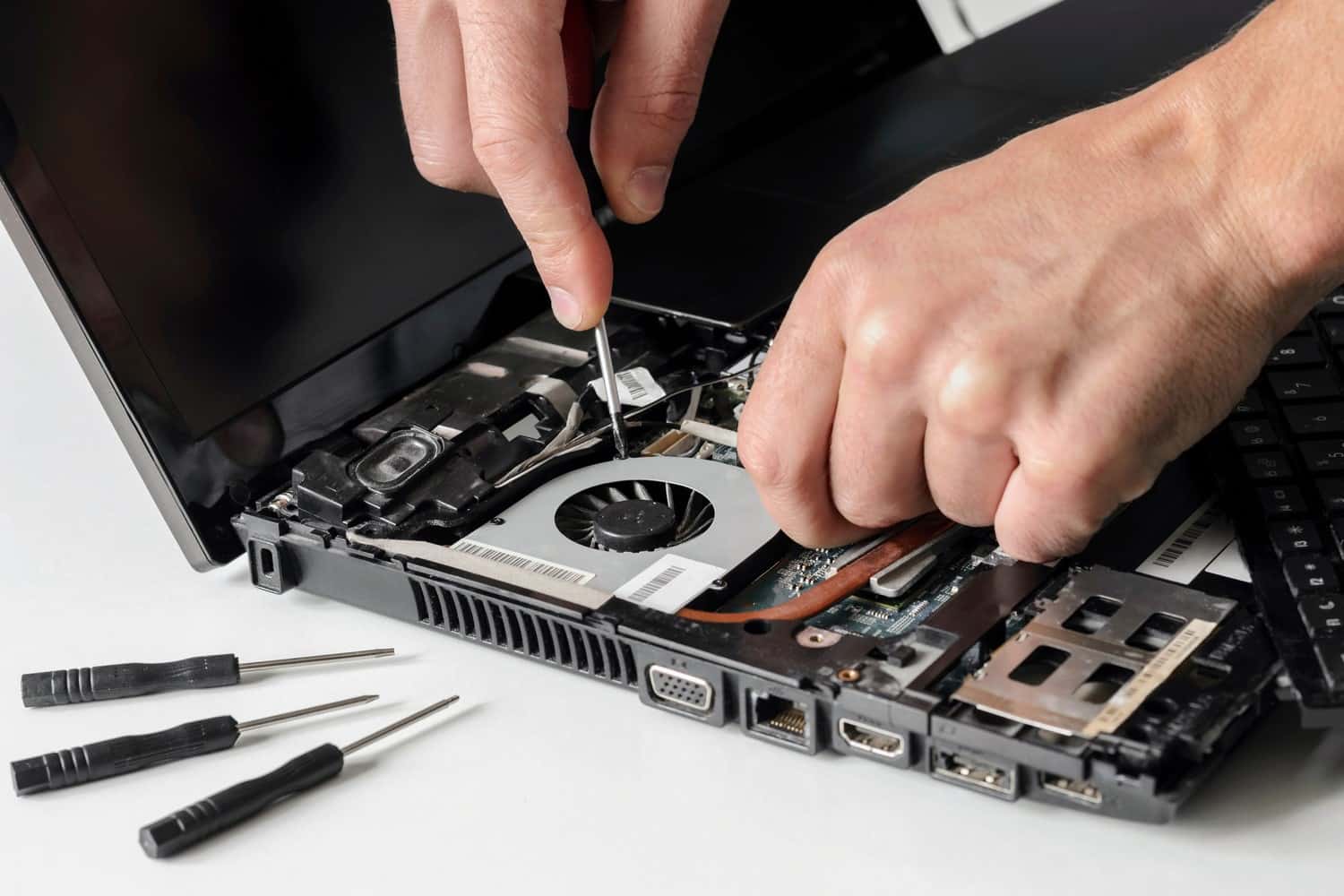
Laptop repair in Schaumburg and Des Plaines
Windows laptops repaired at our Schaumburg and Des Plaines stores: cracked screens, worn-out keyboards, batteries that no longer hold a charge, loose charging ports and laptops that won't turn on at all. Walk in during store hours, no appointment needed. We find the real fault first and tell you what it costs before any work starts.
- Walk in, no appointment
- Quote before any work starts
- Diagnostic fee goes toward the repair
- 90-day warranty on repairs
Laptop repairs we do
- Laptop screen replacement
- Keyboard replacement
- Battery replacement
- Charging port and DC jack repair
- Motherboard repair for laptops that won't turn on
- Liquid spill repair*
- SSD upgrade with drive cloning
- Windows repair and reinstall
- Surface Laptop and Surface Pro repair
*Water damage repairs are not guaranteed. Corrosion and other factors outside our control can affect how long the repair lasts.
Laptop screen repair: cracked, black or flickering screens
A drop, or a pen left on the keyboard when the lid closed, usually breaks the display panel itself. You see ink-like blots, black patches, colored lines, or a picture on only part of the screen. We replace the panel with the right one for your model.
Lines, flicker, or a picture that comes and goes as you move the lid can come from the display cable rather than the panel. A quick check at home: plug the laptop into a TV or monitor. If the picture is fine there, the laptop itself works and the fault is in the screen or its cable. We find out which before quoting, so a new panel goes in only when the panel is what failed.
Laptop keyboard repair
Keys that stick, repeat or do nothing, a row of keys that died after a spill, or keys that snapped off. Before replacing anything we check whether the fault is the keyboard itself or the connector and board it plugs into.
On some laptops the keyboard is a separate part held in with screws or clips. On many newer models it is riveted into the top cover around it, so the keyboard and that cover are replaced together. We look up which kind your model has and include it in the quote.
Laptop battery replacement and charging port (DC jack) repair
Signs the battery is worn out: the laptop dies an hour after a full charge, shuts off while the battery icon still shows charge left, only runs while plugged in, or Windows tells you to consider replacing your battery. Most laptop batteries now sit inside the case, screwed or glued in, and are replaced in the shop.
If the trackpad is lifting or the bottom of the case is bulging, the battery is swelling. Stop using the laptop, don't charge it, and call the store before you bring it in.
Charging problems look like a loose plug, a laptop that charges only when the cable is held at an angle, a charging light that flickers, or "plugged in, not charging". The cause can be the charger, the port, or the charging circuit on the motherboard, so bring the charger and we test it first. Older laptops charge through a round barrel plug and a DC jack, newer ones over USB-C. Either way, we find which part failed before quoting the repair.
Laptop won't turn on: motherboard repair
No lights and no fan. A power light but a black screen. A laptop that starts and shuts off a second later. We test the charger, the battery and the power path first, then the motherboard.
When the fault is on the motherboard, we do board-level repair in the store: we find the part on the board that failed and replace that part.
If what you need most is the files, tell us when you drop the laptop off, and see data recovery for getting files off a laptop that won't start.
Liquid spilled on a laptop
Coffee, soda, juice and wine leave a sticky residue that keeps corroding the board after the laptop has dried out, so time matters. What to do right away:
- Unplug the charger and shut the laptop down. Hold the power button if it won't shut down normally.
- Don't turn it back on to check it, and don't try to charge it.
- Open it wide and turn it upside down so the liquid drains away from the board.
- Skip the hair dryer and the bag of rice.
- Bring it in as soon as you can.
Overheating, a loud fan or random shutdowns
A laptop that gets too hot to hold, runs its fan at full speed all the time, or turns itself off during a video call or a game usually has a fan and heatsink clogged with dust, a worn fan, or dried-out thermal paste. Bring it in with the charger and we track down the cause before quoting anything.
While you use it, keep the vents clear: a laptop sitting on a bed or a couch can't pull air in.
Slow laptop: SSD upgrade with cloning
If your laptop still has a spinning hard drive, replacing it with a solid state drive (SSD) makes it start up and open programs much faster. We clone the drive to an SSD so everything stays the same, only faster: your files, programs and settings are where you left them. An SSD upgrade is usually done the same or next day.
If the slowness comes with pop-ups, scam warnings or programs you didn't install, that is a malware problem: see virus and malware removal.
Windows won't start, keeps crashing or is stuck in an update
Blue screens, an update that loops on every restart, "Preparing Automatic Repair" each time it boots, or a laptop that freezes a few minutes after starting. A failing drive or bad memory can look exactly like a damaged Windows install, which is why we find the real fault before anything is reinstalled. If Windows itself is the problem, we repair or reinstall it, and a reinstall is quoted before we start.
After a reinstall, if you want help setting up email, printers and accounts again, that is what our tech support and computer help is for.
Laptop brands we repair
Windows laptops from Dell, HP, Lenovo, ASUS, Acer and MSI, and Microsoft Surface Laptop and Surface Pro. If yours isn't listed, call either store with the model number from the sticker underneath and we'll tell you whether we can get the parts.
Have a MacBook? See MacBook repair. A desktop or a gaming tower? See PC and desktop repair.
Microsoft Surface Pro and Surface Laptop repair
A Surface takes more care to open than most laptops. On most Surface Pro models the glass and the display are one part glued to the frame, and the battery sits behind the screen, so getting inside means lifting the display without cracking it.
The model is printed under the kickstand on a Surface Pro and on the bottom of a Surface Laptop. Tell us the model and what's wrong when you call or send a repair request.
How a laptop repair works
The same at both stores:
- Walk in Monday to Friday, 11 AM to 6 PM, no appointment needed. Or request a laptop repair online and the store you pick replies by text or email with a free quote based on what you describe.
- Once the laptop is in the store, we find the real fault first. You get a diagnosis and a quote back the same business day.
- Nothing is repaired until you say yes to the quote. There is a diagnostic fee, and it goes toward the repair.
- We repair the laptop and let you know when it's ready to pick up.
What to bring
- The charger. A failing charger looks the same as a failing charging port, so we test it.
- A few words on what led up to it: a fall, a drink spilled on it, or a problem that started after a Windows update.
- A copy of the files you can't replace, on a USB drive or in cloud storage, if the laptop still starts.
Bring it to Schaumburg or Des Plaines
Zombie Techs Schaumburg is at 831 E Algonquin Rd in Algonquin Plaza, Schaumburg, IL 60173, with on-site parking. Call 847-348-0264.
Zombie Techs Des Plaines is at 1635 E Oakton St, Des Plaines, IL 60018, with on-site parking. Call 847-585-2355.
Both stores are open Monday to Friday, 11 AM to 6 PM, and closed Saturday and Sunday. Walk in, or request a repair online and the store you choose replies by text or email.
Common questions
- Do I need an appointment to bring in a laptop?
- No. Walk into the Schaumburg or Des Plaines store Monday to Friday, 11 AM to 6 PM. You can also send a repair request online first, and the store replies by text or email.
- Is there a charge to look at my laptop?
- Yes, there is a diagnostic fee, and it goes toward the repair. We find the real fault first and tell you what it costs before any work starts. A repair request sent online gets a free quote by reply, based on what you describe.
- How long will my laptop be in the shop?
- You get a diagnosis and a quote the same business day. An SSD upgrade is usually done the same or next day. For anything else, ask when you get the quote: the time depends on the part and the model.
- Is my old laptop worth fixing?
- You decide once you have the quote: nothing is repaired until you say yes. If you'd rather replace it, our Computers for sale page lists the used laptops and desktops we have, when we have them, and either store can move your files to the new computer and set it up.
- Will I lose my files?
- A screen, keyboard, battery or charging port repair doesn't involve the drive, so your files normally stay as they are. If the drive has to be replaced or Windows reinstalled, we tell you before we start. If the laptop still starts, make your own copy of anything important before you drop it off.
- Do you come to my home or office?
- No, we don't make house calls. Bring the laptop to our Schaumburg or Des Plaines store. For error messages, pop-ups or software setup on a laptop that still starts and gets online, a remote session is an option: call 847-348-0264 or 847-585-2355.
- Do your repairs come with a warranty?
- Yes, repairs come with a 90-day warranty. If something goes wrong with the repair within 90 days, bring it back to the store that did the repair. Water damage is the exception: water damage repairs are not guaranteed.
Our store locations
Lake Zurich Computer Services & RepairLake Zurich, IL
584 W State Rte 22Lake Zurich, IL 60047847-381-7960
- Mon – Fri: 9am – 5pm
- Sat: 9am – 2pm

Walk in, call, or request a repair
No appointment needed. We will look at your device and give you an honest quote before any work starts.